Troubleshooting Your Order's Issue
We Can't find your account
We are having difficulty sending your order because the username provided could not be found. Please check that the username is correct and try again. Submit your link in one of the recommended formats below.
Twitter account
https://twitter.com/elonmusk
@elonmusk
elonmusk
Instagram account
https://www.instagram.com/zuck
@zuck
zuck
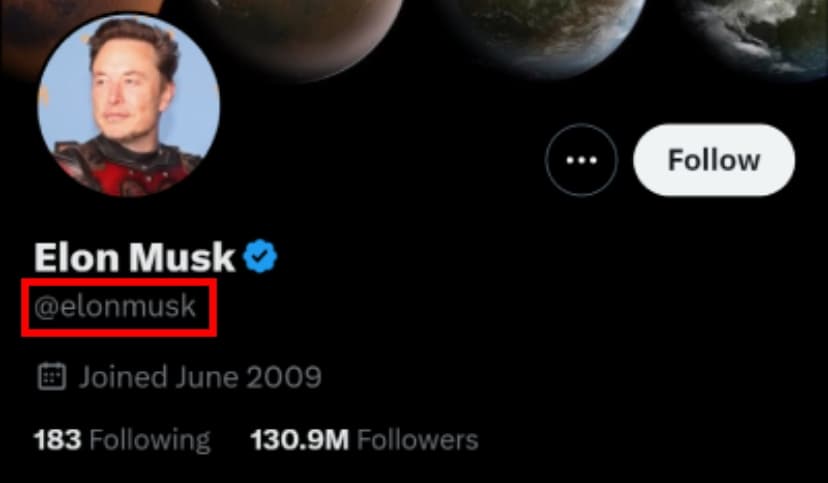
Twitter username highlighted in red
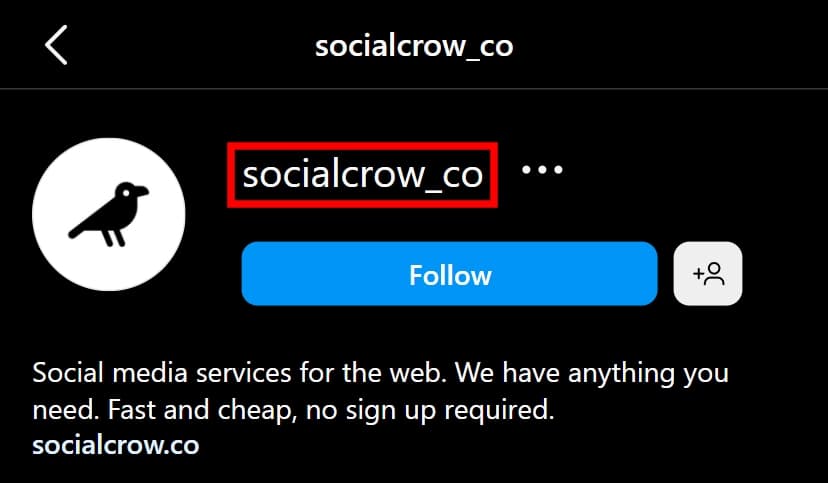
Instagram username highlighted in red
We Can't find your link
We are having difficulty sending your order because the link provided could not be found or is not for a post.
Things to consider:
- Make sure the account is public.
- Does the link go to a post?
- Is the link for broken?
- Is the post available or has it been deleted?
Twitter Post Link
https://twitter.com/elonmusk/status/1633767312565125120
@elonmusk
elonmusk
Instagram Post Link
https://www.instagram.com/p/CocvnHThhdr
@zuck
zuck
Private or protected account
We are having difficulty sending your order because the account provided is private or protected. We can only deliver our services to public accounts. Please make your account public while we deliver your order. Once your order is delivered, you can make your account private again.
How to make your account public:
- Is your Twitter protected?
How to protect and unprotect your Tweets - Is your Instagram private?
Make your Instagram account public/private
Twitter Unprotected/Protected
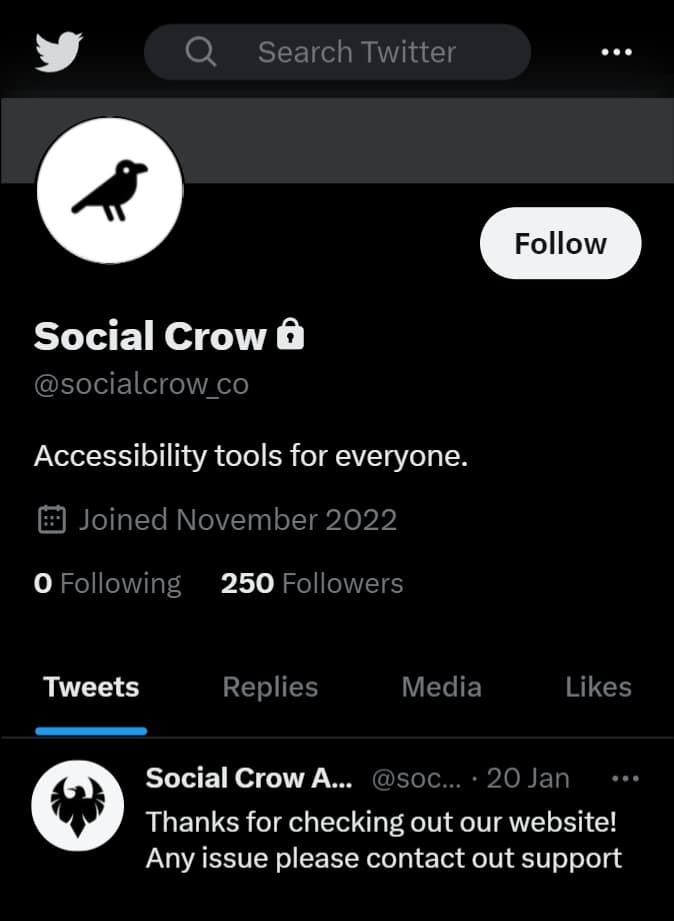
Twitter account is unprotected
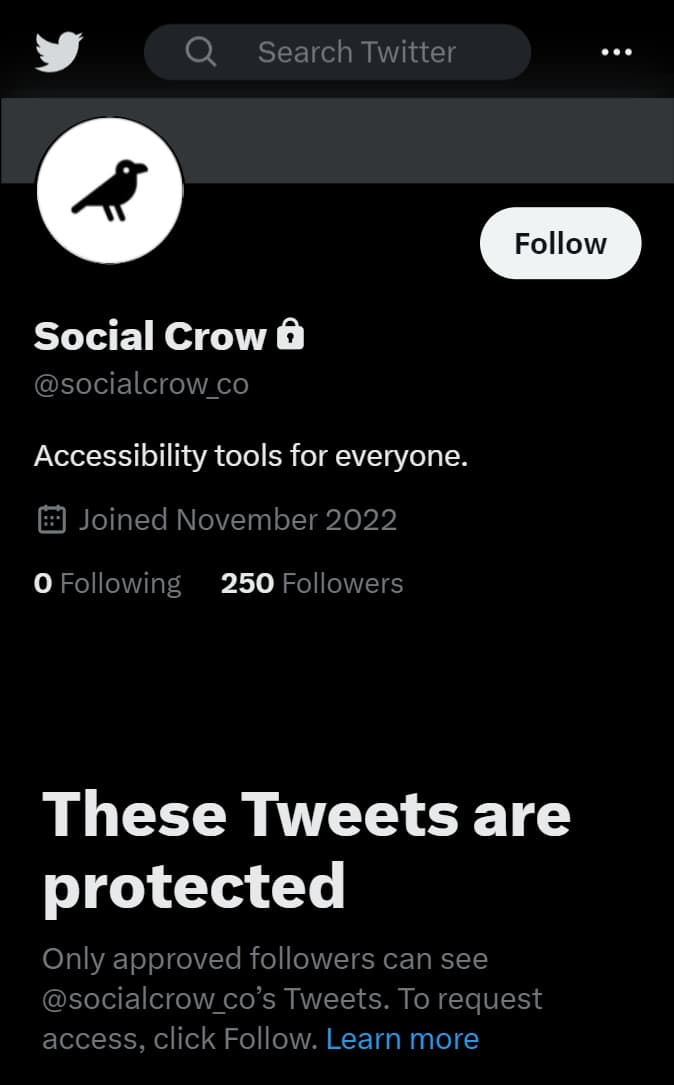
Twitter account is protected
Instagram Public/Private
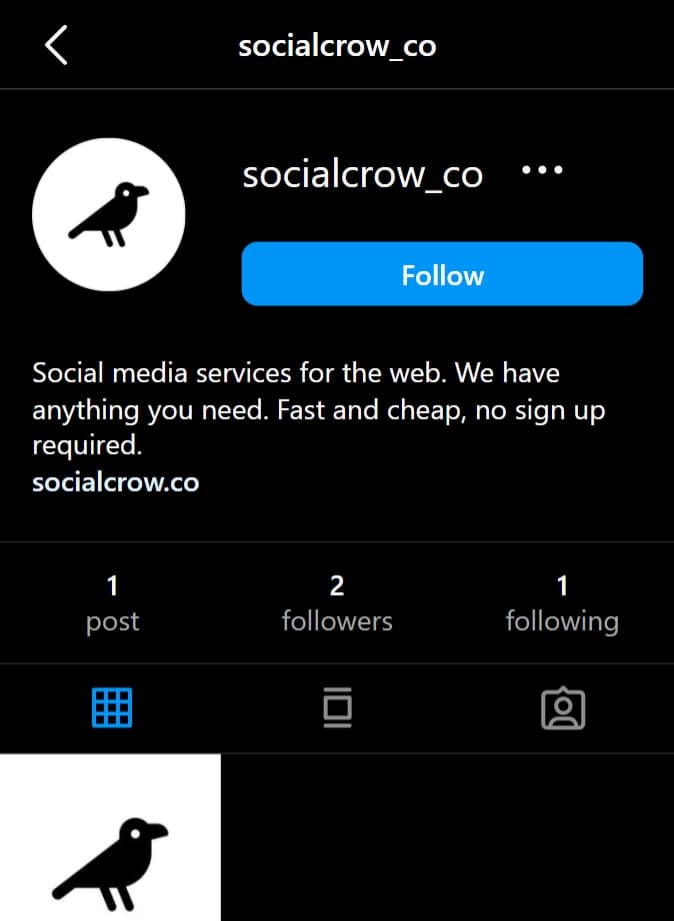
Instagram profile is public
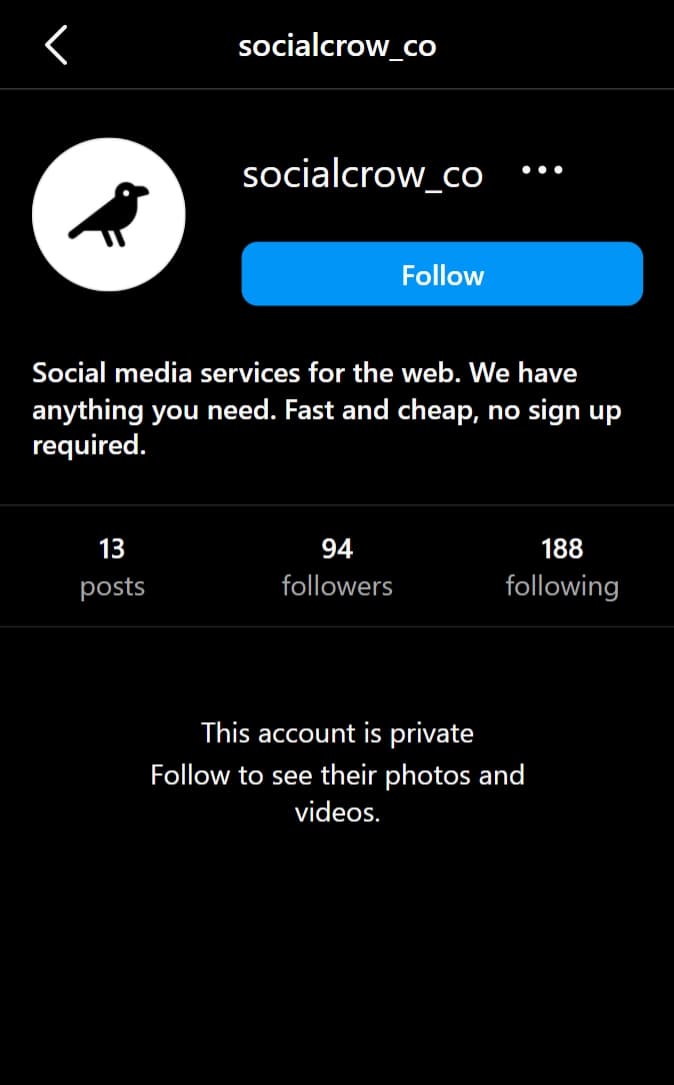
Instagram profile is private
Instagram Flagged Followers
We recommend that you change your settings to allow new followers to be added to your account before we deliver your order.
This is essential to ensure that new followers are automatically added to your follower list. Without this, new followers will be placed in the "Flagged for Review" folder.
How to make sure your followers are not flagged for review:
- Go to your Account Settings.
- Select Follow and Invite Friends.
- Locate the Flag for Review option and uncheck it.
Instagram App
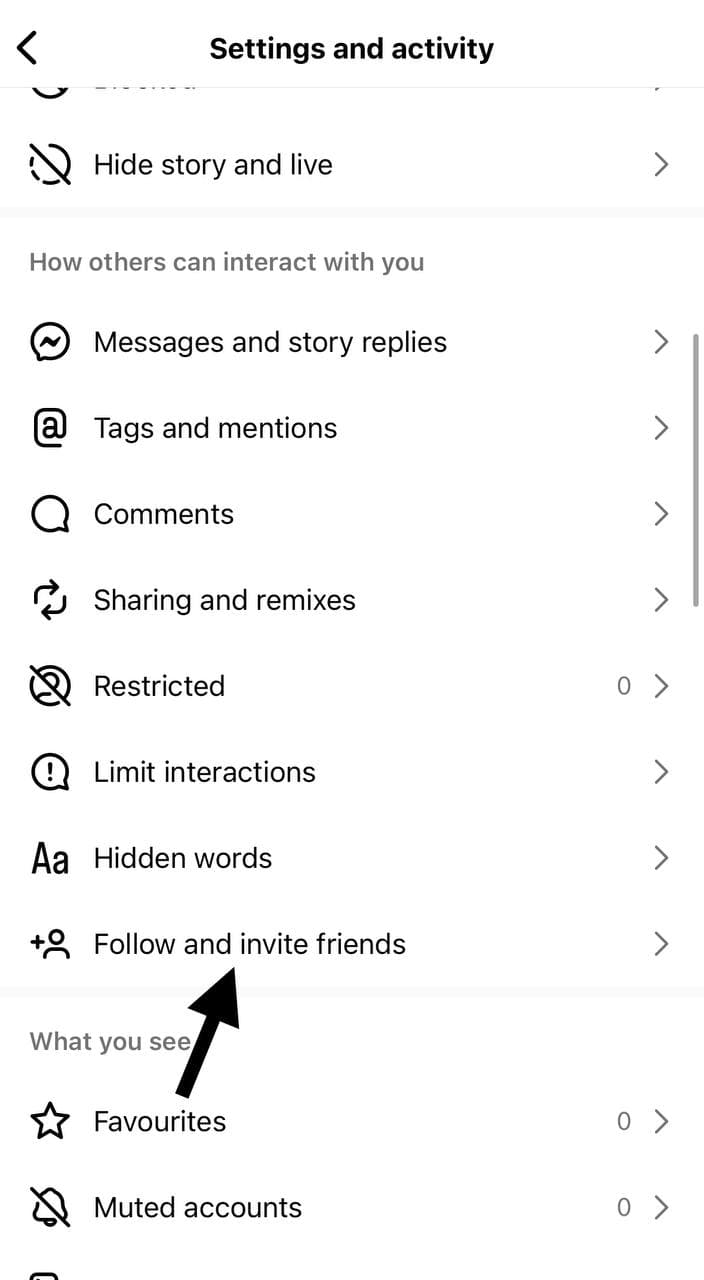
Find this option in your Instagram app settings
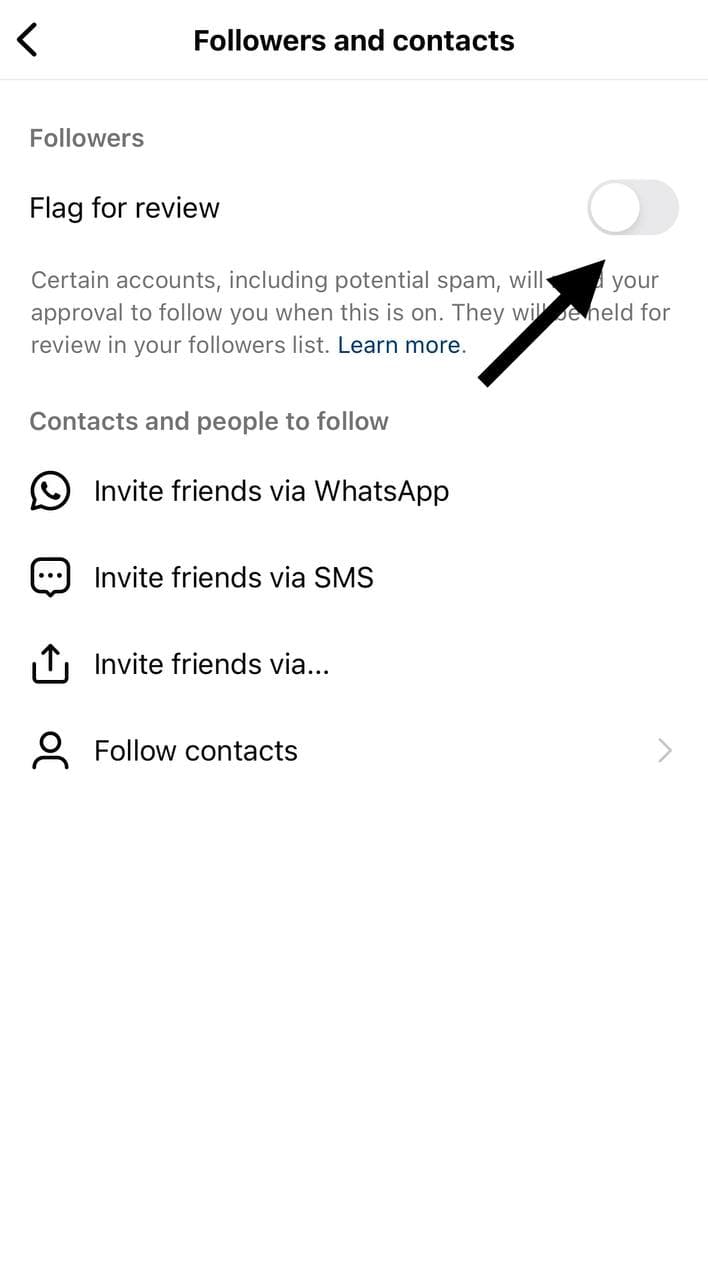
Ensure that the option is unchecked/disabled to avoid flagged followers
How to find your TikTok username
Your TikTok username is the unique identifier for your account. It's different from your display name and always starts with an @ symbol. Here's how to find it and provide it to us.
TikTok Account
https://www.tiktok.com/@username
@username
username
Two ways to find your TikTok username:
- From your profile URL: Your username is the part after @tiktok.com/@ in your profile link
- From your profile: Your username appears at the top of your profile page, right below your profile picture
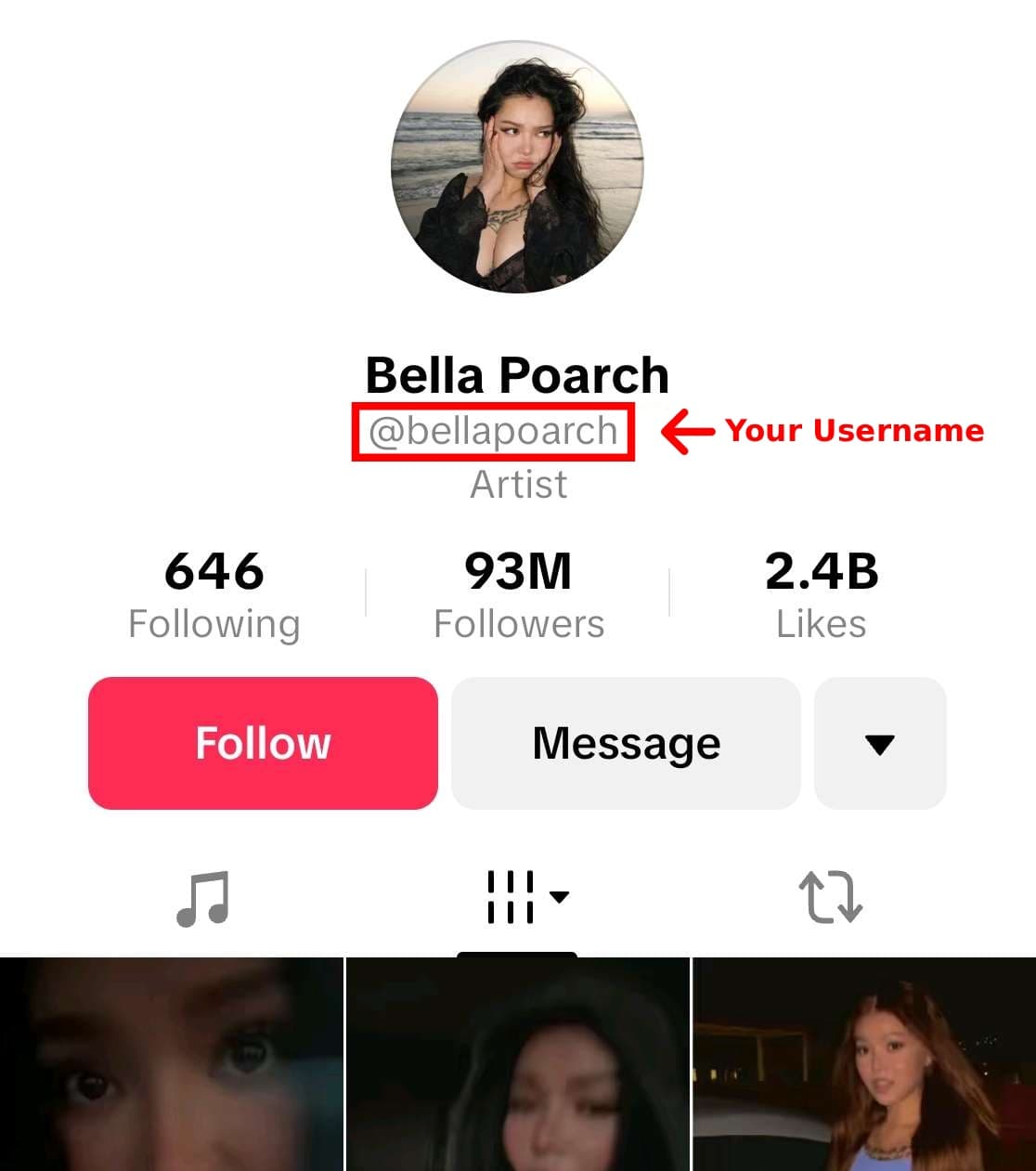
TikTok username location highlighted in the mobile app
How to find your Twitter/X username
Your Twitter username (also known as your handle) is the unique identifier for your account. It's different from your display name and always starts with an @ symbol. Here's how to find it and provide it to us.
Twitter/X Account
https://twitter.com/elonmusk
@elonmusk
elonmusk
Two ways to find your Twitter/X username:
- From your profile URL: Your username is the part after twitter.com/ or x.com/ in your profile link
- From your profile: Your username appears at the top of your profile page, right below your display name and starts with @
Twitter username highlighted in red