So fast
Big up for Social Crow. After I bought channel reactions for my post I got results within minutes. My account grew even faster after that — seriously loved the service and I'll be back again.


No passwords, no complicated forms. Just a quick checkout and you're done.

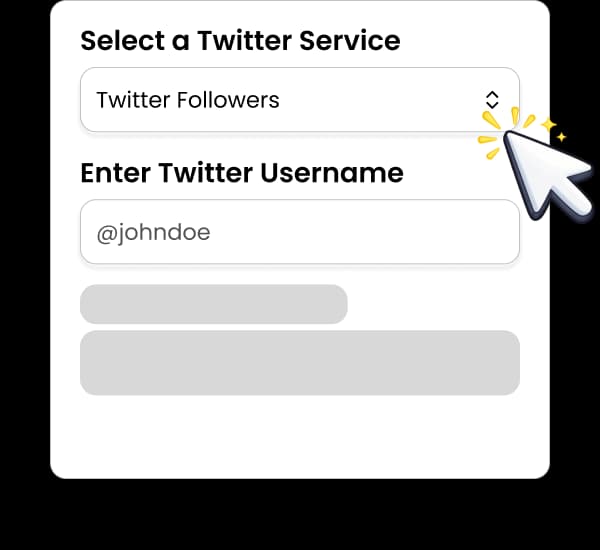
Pick the WhatsApp channel reactions service option that matches your goal.

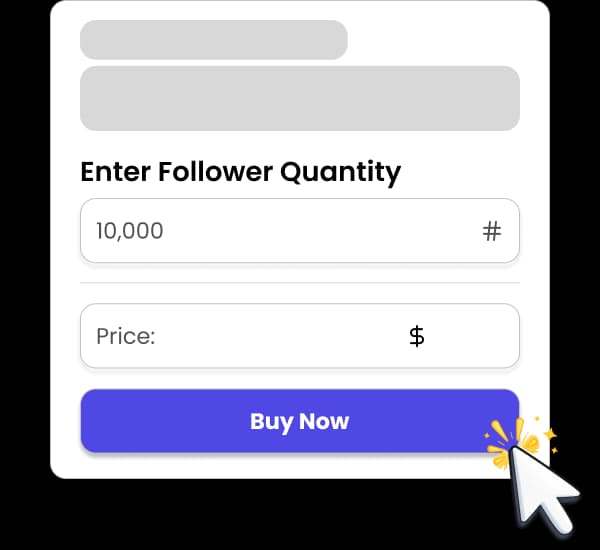
Add your username or link, choose quantity, and complete your order.

Delivery begins quickly after checkout.
See real creators and brands who used Social Crow to kickstart growth.

Getting reactions onto a WhatsApp channel post takes a couple of minutes.
Start by copying the post link. Open your channel in WhatsApp, long-press (or tap the arrow next to) the update you want to boost, and choose Forward or Share, then Copy link. The link will look something like https://whatsapp.com/channel/0029Va.../123, where the number at the end identifies that individual post. A link to the channel itself, without the post number, points to the whole channel rather than one update, so make sure you copy the post link.
Next, pick your option. Emoji reactions give a mixed, natural-looking row under the post. Post likes put thumbs-up reactions on the update for a simpler signal. Choose a quantity anywhere from 10 to 50,000 based on how large your channel is; reactions that sit in proportion to your follower count look the most believable.
Paste the link into the order form and check out. There is no account connection step and nothing to install. Keep the post published and the channel public while the order runs, because a deleted update or a link that no longer opens will stop delivery.
Once the order is placed, reactions begin arriving and build steadily. If anything looks stuck, support can check the link with you and get things moving again.

The main benefit is first impression. Channels get discovered through shared links, the channel directory and mentions on other platforms. A visitor who lands on your channel scans the latest updates in seconds. Visible reactions answer the unspoken question of whether anyone actually reads what you post.
Reactions also let you highlight specific updates. Not every post deserves the same attention. An announcement, a new release, an event date or a link to your latest video can carry more weight than routine updates, and boosting reactions on those posts makes them stand out when someone scrolls back through the channel.
They help balance the picture for growing channels. If you have built up followers, posts with no reactions can make the follower count look hollow. Adding reactions to a handful of key updates keeps followers, reactions and posting history telling a consistent story.
There is a confidence effect for the people already following you too. Many followers hesitate to be the first to react to a post. Once a few emoji are visible, tapping one of your own feels natural, so early reactions can make it easier for real followers to join in, even though nobody can promise they will.
Finally, reactions are a low-cost way to make a channel feel active while you build a posting rhythm. Pair them with consistent, useful updates and they reinforce the sense that your channel is worth following.


WhatsApp channels are still a newer format, and plenty of sellers treat them as an afterthought. Social Crow lists channel reactions as a proper product with clear options, a straightforward order form and automated processing, so you are not emailing anyone or waiting for a manual setup.
We only ever ask for a public post link. No password, no QR code login, no linked device and no admin rights. Your channel stays entirely under your control, and the order cannot touch your account settings or your other chats.
You also get a choice of style. Mixed emoji reactions suit posts where you want a lively, varied look, while thumbs-up post likes suit announcements where a single clean signal reads better. Quantities run from 10 to 50,000, so the same service works for a small channel testing the waters and a large one supporting a big update.
Social Crow is trusted by 38K+ happy customers, has completed 89K+ orders with a 9.8/10 satisfaction score, and has been operating for 7+ years. If a delivery stalls, 24/7 support is there to look into it with you.
Proof at a glance
Join thousands of successful creators who've transformed their social media presence.
Pricing for WhatsApp channel reactions is based on quantity and the option you choose. Larger orders cost less per reaction, and the exact totals update as you change the quantity on the WhatsApp services page, so you always know the price before checkout.
The minimum order is 10 reactions, which makes it easy to try the service on a single update. At the top end, you can order up to 50,000 on one post, though most channels get the best result by keeping reactions proportional to their follower count.
If you post often, spreading smaller orders across several updates usually looks better than one huge number on a single post. A channel where the last five or six updates all carry a believable row of reactions reads as consistently active, while one outlier post can look out of place.
A practical plan is to choose the updates that matter most each week, such as an announcement, a new piece of content or an event reminder, and add reactions to those. Keep routine updates organic. That keeps spend focused on the posts new visitors are most likely to see.
If your count drops within 30 days of your order, we top it back up for free under our refill guarantee. Drops caused by deleting the post or making it private aren't covered. If delivery stalls while the order is running, let support know and we'll look into it.
Ready to place your order?
You’ll choose the exact service and quantity on the WhatsApp page.
Your account is never part of the order. We work only from the public channel post link, so there is no login to hand over, no linked device to approve and no verification code to share. Anyone asking for those things to deliver reactions is a red flag, and we will never do it.
Payment runs through an SSL-secured checkout. Your channel, your followers and your private chats remain completely separate from the order.
For the smoothest delivery, keep the post live and the channel public until the order is finished. Editing the text of an update is fine, but deleting it, restricting the channel or replacing the post with a new one will interrupt delivery because the original link stops working.
As with any engagement service, nobody can guarantee zero risk from platform changes. Keeping orders proportional to your channel size and spreading them across posts is the most sensible approach. If you have questions before or after ordering, support is available around the clock.
Once you check out, the order is queued automatically and reactions start arriving quickly. They build up steadily rather than landing all at once, which keeps the post looking natural while the order completes.
Timing depends on quantity and current demand, so we do not quote exact completion times. Small orders usually finish faster than very large ones. You can follow progress from your order page.
If reactions stop arriving, the usual causes are simple: the link points to the channel instead of the specific post, the post was deleted, or the channel is no longer publicly accessible. Check those first, then contact support with your order number and post link and we will help get it back on track.
When delivery is done, look at the post as a visitor would. If it fits the rest of your channel, repeat the approach on your next important update.
FAQ
The link to the individual post, not the channel. In WhatsApp, open the channel, select the update, choose Forward or Share and tap Copy link. It looks like https://whatsapp.com/channel/0029Va.../123, with the post number at the end.
No. We never ask for passwords, verification codes, linked devices or admin access. The public post link is all we need.
Emoji reactions add a mixed row of emoji under the update for a varied, lively look. Post likes add thumbs-up reactions for a single, clean signal. Both appear in the reaction count on the post.
You can order from 10 reactions up to 50,000 on a single post. Starting small on one update is a good way to see how it looks.
Delivery works on any public channel post link, but we recommend ordering for channels you run or represent.
Delivery starts quickly and runs steadily until the order is complete. Larger orders take longer, so we do not promise exact times.
Reactions are social proof. They make your updates look read and appreciated, which can make the channel more convincing to visitors, but they do not guarantee new followers or wider reach.
If your count drops within 30 days of your order, we top it back up for free under our refill guarantee. Drops caused by deleting the post or making it private aren't covered. If delivery stalls while the order is running, let support know and we'll look into it.
Small text edits are fine, but do not delete the post or make the channel unavailable until the order finishes. A broken link stops delivery.
Yes. Place a separate order for each post link. Spreading reactions across several recent updates usually looks more natural than one large order.
If you’re working on a full growth plan, these pages can help.


Want more context before you buy? These pages are a good next step.
Go to the WhatsApp page to select your exact service and quantity.
Use code WELCOME10
for 10% off